


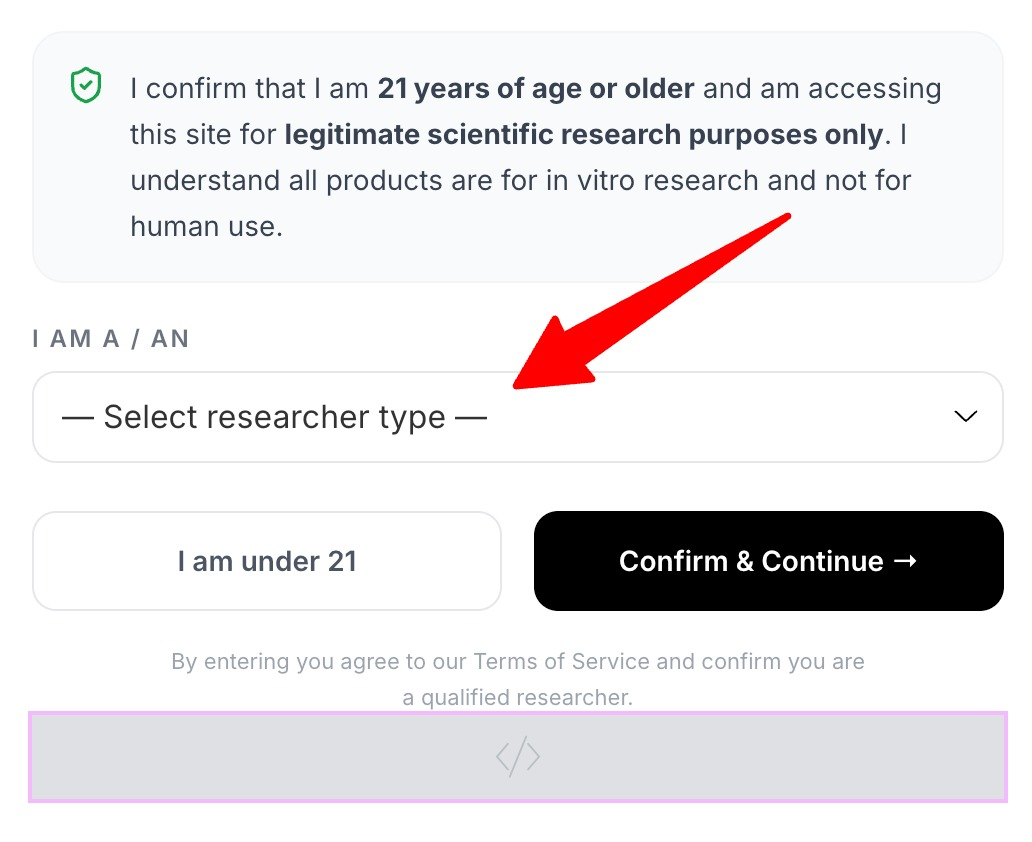
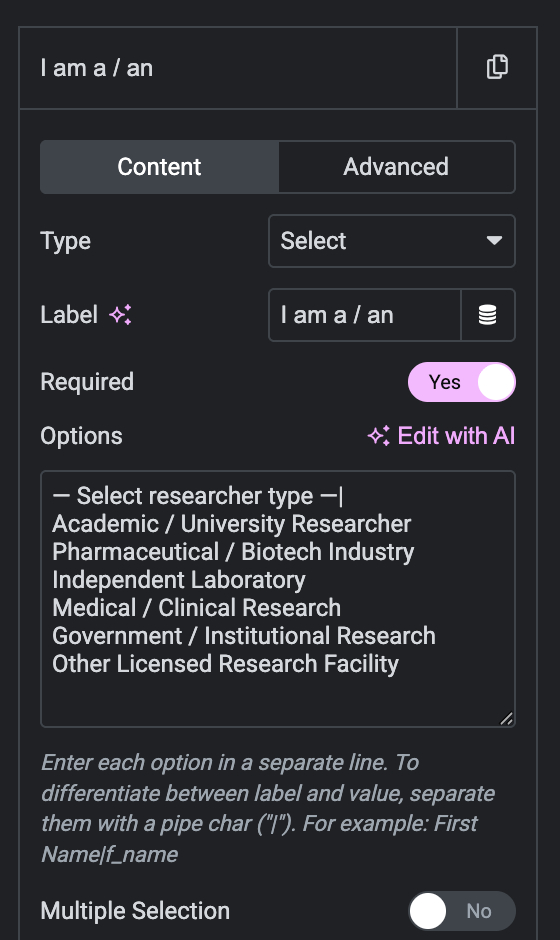
By default, Elementor form select fields can look empty or unclear without a prompt. Adding a placeholder option guides users on what to choose and improves your form experience. This guide shows how to add a placeholder to a select field in Elementor.
Add this Custom HTML in Elementor
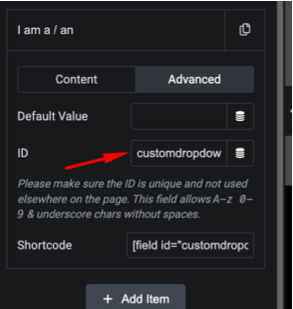
ID: form-field-customdropdown
					<script>

jQuery(document).ready(function($){

    const select = $('#form-field-customdropdown');

    // Reset selected value
    select.val('');

    // Disable placeholder
    select.find('option:first').prop('disabled', true);

});

</script>
How it works
The first option in the dropdown is set as a disabled, selected placeholder, so it shows as the default label but cannot be submitted as a real answer. A little setup ensures the placeholder appears greyed out while the real options remain selectable.
Tips and customization
- Write a clear prompt like Choose an option.
- Make the placeholder required so users pick a real value.
- Style the placeholder color for better contrast.
FAQ
Does this need Elementor Pro?
Form fields are a Pro feature, but the placeholder setup itself is simple configuration and light CSS.
Will the placeholder be submitted?
No. It is disabled, so it cannot be sent as a real value.