
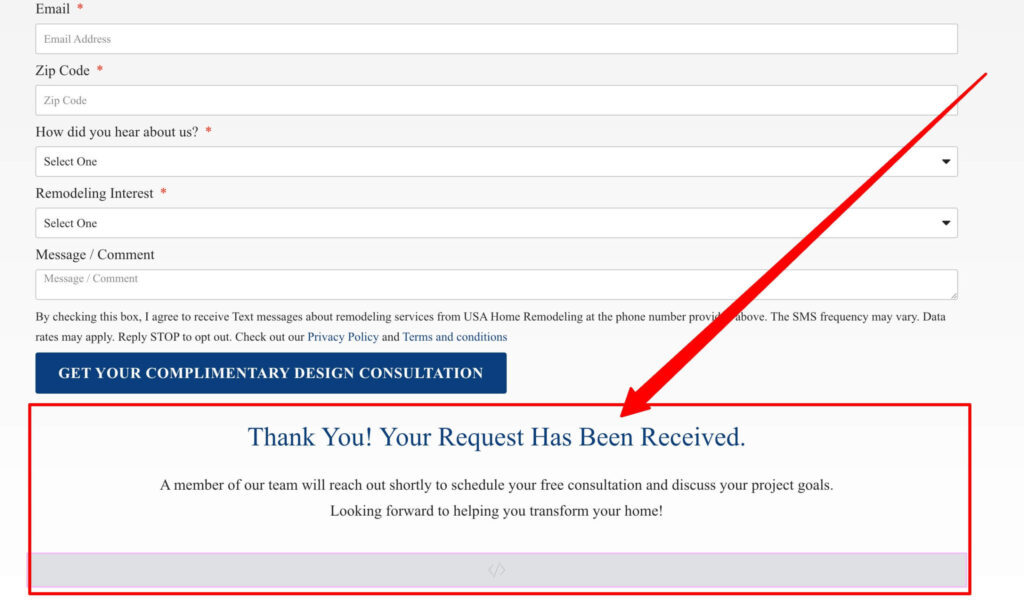
A custom thank you message after a form submission reassures visitors and can guide their next step. This guide shows how to display a personalized thank you message in Elementor after someone submits your form. Copy the code and make your confirmation feel on brand.
Add this Custom JS in Elementor ( HTML)
From class: formx
Container class: thankscon
From name field: form-field-yourname
<script type
= "text/javascript">

    jQuery( document ).ready(function( $ ){
	$( '.formx' ).on('submit_success', function(){


jQuery('.thankscon').show();
jQuery('.formx').hide();
;
name = jQuery('#form-field-yourname').val();
jQuery('#custom-name').show();

jQuery('#custom-name h2').text(name);

	});
});

</script>
How it works
After the form submits successfully, Elementor can show inline content or trigger a custom action. With a small snippet you replace the default confirmation with your own styled message, or reveal a hidden block. This keeps users on the page while confirming their submission.
Tips and customization
- Personalize the message with the visitor name if you collect it.
- Add a next step, such as a link or download.
- Style the message to match your brand colors.
FAQ
Does this need Elementor Pro?
The form widget is a Pro feature, but customizing the confirmation message is straightforward once the form exists.
Can I redirect instead?
Yes. You can redirect to a thank you page, but an inline message keeps users in context.
Ready to make it work?
I can help turn the idea into a reliable WordPress experience.
Start a conversation ↗