
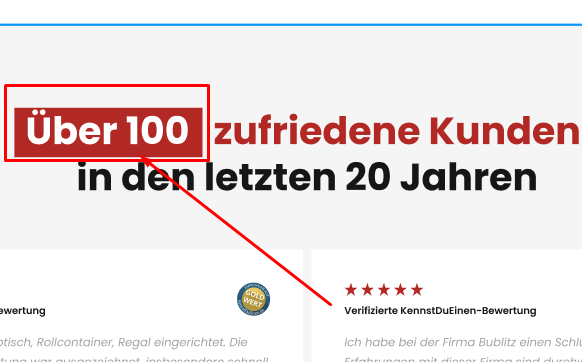
The HTML mark tag is a simple, semantic way to highlight important words, like a text highlighter on paper. This guide shows how to use it in Elementor and style it with CSS so your highlights match your brand. Copy the code and start emphasizing key phrases.
HTML mark Tag
<mark> Individuelle </mark>Mark Tag css
mark {
background-color: #B12824;
color: #FFFFFF;
}
Live Preview
Add Your Heading Individuelle Text Here
How it works
The mark tag wraps the words you want to highlight, and browsers give it a default yellow background. With a little CSS you can change the highlight color, add padding, and round the corners for a modern look. Because mark is semantic, it also signals emphasis to assistive technology.
Tips and customization
- Change the highlight color to match your palette.
- Add padding and rounded corners for a softer highlight.
- Use a subtle gradient highlight for extra style.
FAQ
Is the mark tag good for accessibility?
Yes. It is semantic HTML that clearly marks relevant text.
Can I use it inside Elementor headings?
Yes. Add it in the text field or an HTML widget.
Ready to make it work?
I can help turn the idea into a reliable WordPress experience.
Start a conversation ↗