


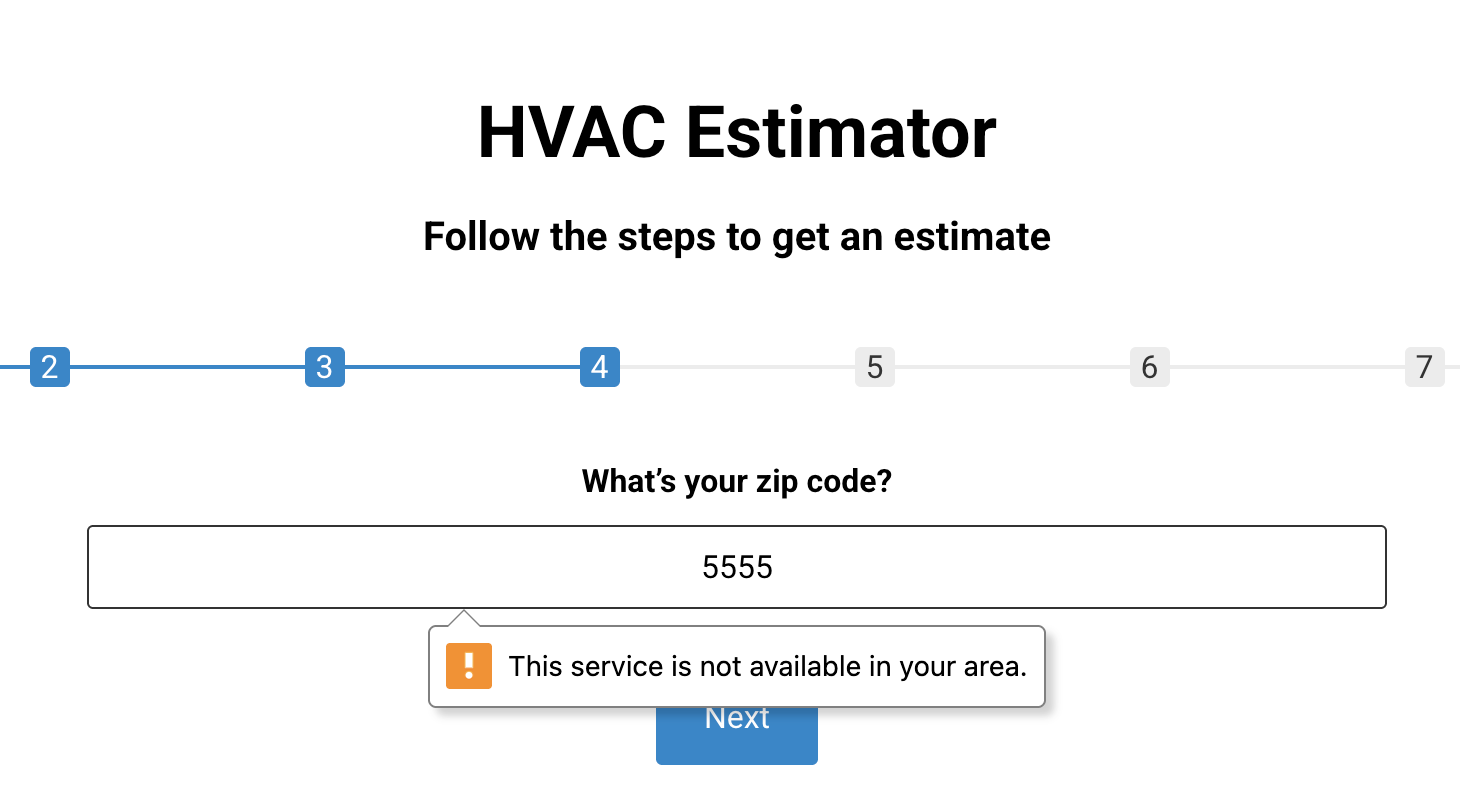
Validating a ZIP or postal code before a form is submitted keeps your data clean and avoids bad entries. This guide shows how to check ZIP validity in a Piotnet Form for Elementor with custom code. Copy the snippet and set your rules.
This snippet shows how I use Piotnet Forms to validate ZIP codes in real time before a form is submitted. By adding a custom validation rule, the form checks whether the user’s ZIP matches the required format and blocks submission if it doesn’t. This helps keep my data clean, reduces typos, and improves the overall user experience. You can copy and adapt the code below to fit your own country’s ZIP or postal code pattern.
Add this Custom JS in Elementor ( HTML)
					<script>
document.addEventListener('DOMContentLoaded', function () {
  const allowedZips = [
    '08501','08505','08512','08514','08515','08520','08527','08533','08550','08554','08562',
    '08610','08619','08620','08628','08648','08690','08691',
    '08016','08022','08041','08046','08054','08057','08075','08077',
    '18901','18902','18914','18915','18917','18923','18925','18927','18929','18932','18936','18938',
    '18940','18944','18951','18954','18960','18964','18966','18974','18976','18977',
    '19002','19006','19007','19020','19021','19025','19034','19038','19040',
    '19044','19046','19047','19053','19075','19090'
  ];

  const zipField = document.getElementById('form-field-Zip');
  const nextButtons = document.querySelectorAll('[data-pafe-form-builder-nav="next"]');

  nextButtons.forEach(btn => {
    btn.addEventListener('click', function (e) {
      const zipValue = zipField.value.trim();

      // If the ZIP field is visible on this step
      if (zipField.offsetParent !== null) {
        if (!allowedZips.includes(zipValue)) {
          e.preventDefault();
          zipField.setCustomValidity("This service is not available in your area.");
          zipField.reportValidity();
        } else {
          zipField.setCustomValidity(""); // Clear error if valid
        }
      }
    });
  });
});
</script>
How it works
The script checks the ZIP field against a pattern or a list of allowed values when the visitor submits or leaves the field. If it does not match, it shows a message and blocks submission until corrected. This runs alongside the Piotnet Form without changing its layout.
Tips and customization
- Match the pattern to your country ZIP format.
- Show a clear error message so users know what to fix.
- Trim spaces so minor typos do not fail wrongly.
FAQ
Does this replace Piotnet validation?
No. It adds an extra custom check on top of the form.
Can I allow only certain ZIP codes?
Yes. Check the value against your own allowed list.