


Changing a section background image when a visitor clicks a control makes a page feel dynamic and interactive. This guide shows how to swap an Elementor section background on click using a Click ID and simple JavaScript. Copy the reusable code and connect your triggers.
In this tutorial, I’ll show you how to use a Click ID in Elementor to change a section’s background image dynamically. With a few lines of custom JavaScript and the right selectors, you can swap backgrounds on click without any extra plugins. The full code example is included below so you can copy, paste, and customize it for your own layout.
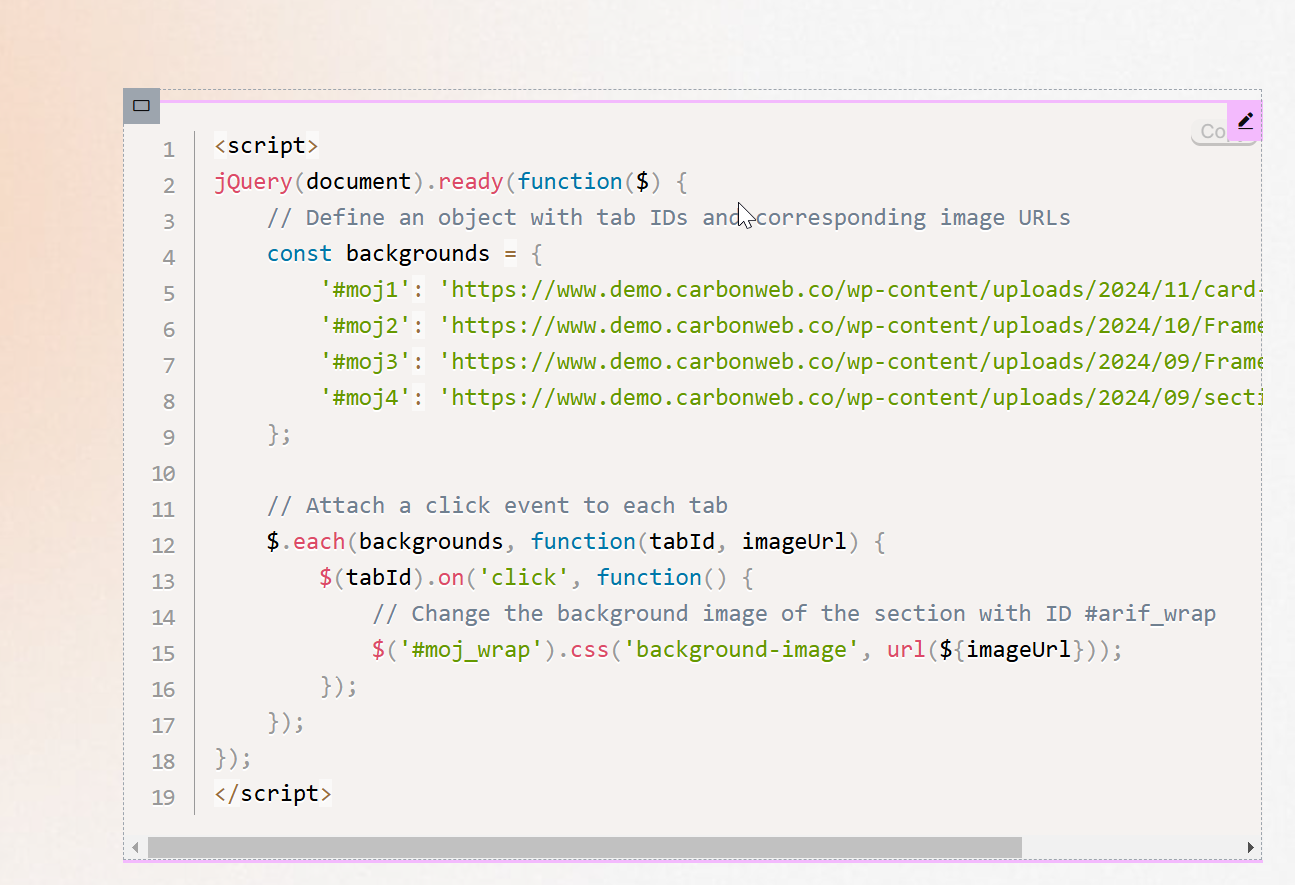
					<script>
jQuery(document).ready(function($) {
    // Define an object with tab IDs and corresponding image URLs
    const backgrounds = {
        '#moj1': 'https://www.demo.carbonweb.co/wp-content/uploads/2024/11/card-graphic.svg',
        '#moj2': 'https://www.demo.carbonweb.co/wp-content/uploads/2024/10/Frame-1261162052-2.png',
        '#moj3': 'https://www.demo.carbonweb.co/wp-content/uploads/2024/09/Frame-1261162340.png',
        '#moj4': 'https://www.demo.carbonweb.co/wp-content/uploads/2024/09/section-1.svg'
    };

    // Attach a click event to each tab
    $.each(backgrounds, function(tabId, imageUrl) {
        $(tabId).on('click', function() {
            // Change the background image of the section with ID #arif_wrap
            $('#moj_wrap').css('background-image', url(${imageUrl}));
        });
    });
});
</script>
How it works
Each trigger carries an id that maps to a specific image. A short script listens for the click, reads that id, and updates the background image of the target section. Because it changes only the background, the layout stays put while the visual updates instantly.
Tips and customization
- Add as many trigger and image pairs as you need.
- Add a fade transition for a smoother swap.
- Preload images so the change feels immediate.
FAQ
Does it need a plugin?
No. A small script in an HTML widget handles the swap.
Can I use it for a gallery style switcher?
Yes. Map several triggers to several images for a simple switcher.