


Adding a language switch to your WordPress site does not always require a heavy plugin. With a little JavaScript and jQuery you can swap text on the fly and give visitors a lightweight translation option. This guide walks through the approach with copy ready code.
Learn how to add simple, lightweight translation to your WordPress site using plain JavaScript and jQuery no heavy plugins required. In this tutorial, I’ll walk through the custom code I wrote, show you how it works, and explain how you can easily adapt it to translate your own theme content.
Delay to ensure the content is rendered if it's being generated by shortcode
					<script data-minify="1" src="https://mojibur.com/wp-content/cache/min/1/jquery-3.6.0.min.js?ver=1790750029"></script> <!-- Load jQuery if not already loaded -->
<script>
  $(document).ready(function() {
    // Delay to ensure the content is rendered if it's being generated by shortcode
    setTimeout(function() {
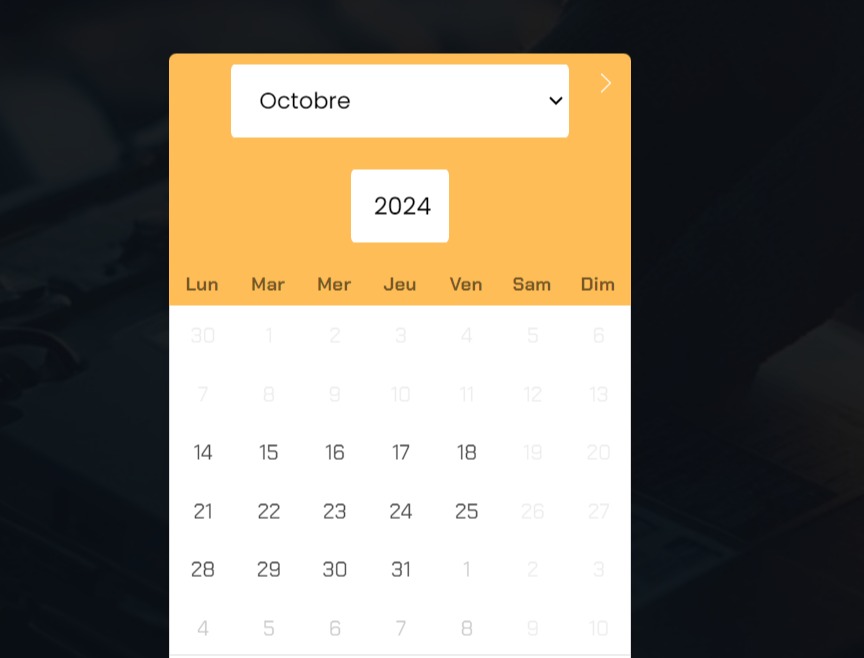
      // Array of shortened weekday names
      var shortWeekdays = ['Lun', 'Mar', 'Mer', 'Jeu', 'Vendredi', 'Sam', 'Dim'];

      // Target each span element inside .flatpickr-weekdaycontainer and change its text
      $('.flatpickr-weekdaycontainer .flatpickr-weekday').each(function(index) {
        $(this).text(shortWeekdays[index]); // Replace text with the new shortened weekday names
      });

      // Array of month names to change
      var monthNames = {
        'October': 'Octobre',
        'November': 'Novembre',
        'December': 'Décembre'
      };

      // Change month names in the dropdown
      $('.flatpickr-monthDropdown-month').each(function() {
        var currentMonth = $(this).text(); // Get the current month name
        if (monthNames[currentMonth]) {
          $(this).text(monthNames[currentMonth]); // Replace with the corresponding French month name
        }
      });
    }, 1000); // Adjust the timeout value if needed
  });
</script>
Attach click event to the button
					<script data-minify="1" src="https://mojibur.com/wp-content/cache/min/1/jquery-3.6.0.min.js?ver=1790750029"></script>

<script>
    $(document).ready(function() {
        // Attach click event to the button
        $('.wpte-bf-btn').on('click', function() {
            // Use a timeout to ensure the popup content is ready
            setTimeout(function() {
                // Check if the elements exist before changing text
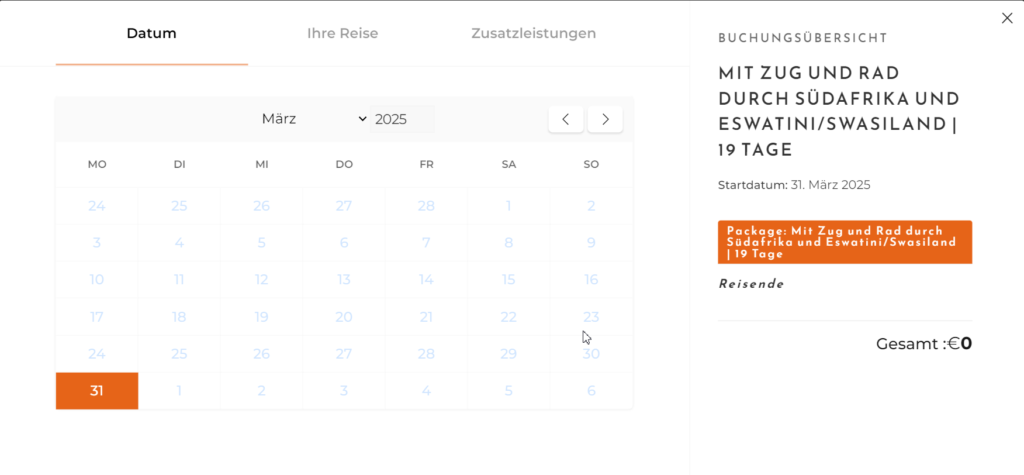
                if ($('.wte-process-nav-item#date-time a').length) {
                    $('.wte-process-nav-item#date-time a').text('Datum').append('<span class="arrow"></span>');
                }
                if ($('.wte-process-nav-item#package-type a').length) {
                    $('.wte-process-nav-item#package-type a').text('Ihre Reise').append('<span class="arrow"></span>');
                }
                if ($('.wte-process-nav-item#extra-services a').length) {
                    $('.wte-process-nav-item#extra-services a').text('Zusatzleistungen').append('<span class="arrow"></span>');
                }

                // Change the Booking Summary title
                if ($('.wte-booking-block-title').length) {
                    $('.wte-booking-block-title').text('Buchungsübersicht');
                }

                // Change the Starting Date text
                if ($('.wte-booking-starting-date strong').length) {
                    $('.wte-booking-starting-date strong').text('Startdatum:');
                }


            }, 300);
        });
 });
</script>
How it works
The script stores translations for each phrase and updates the matching elements when a visitor picks a language. jQuery makes it easy to select and replace the text, while your original markup stays intact. Because it runs in the browser, switching is instant.
Tips and customization
- Keep your translation list organized by phrase.
- Remember the chosen language so it persists across pages.
- Use it for small sites, and a full plugin for large multilingual ones.
FAQ
Is this a full multilingual solution?
It is a lightweight approach best for small sites. For large sites, a dedicated translation plugin is better.
Is it good for SEO?
Client side switching is limited for SEO. For indexed translations, use a proper multilingual plugin.