
Why AI builder contact forms go silent
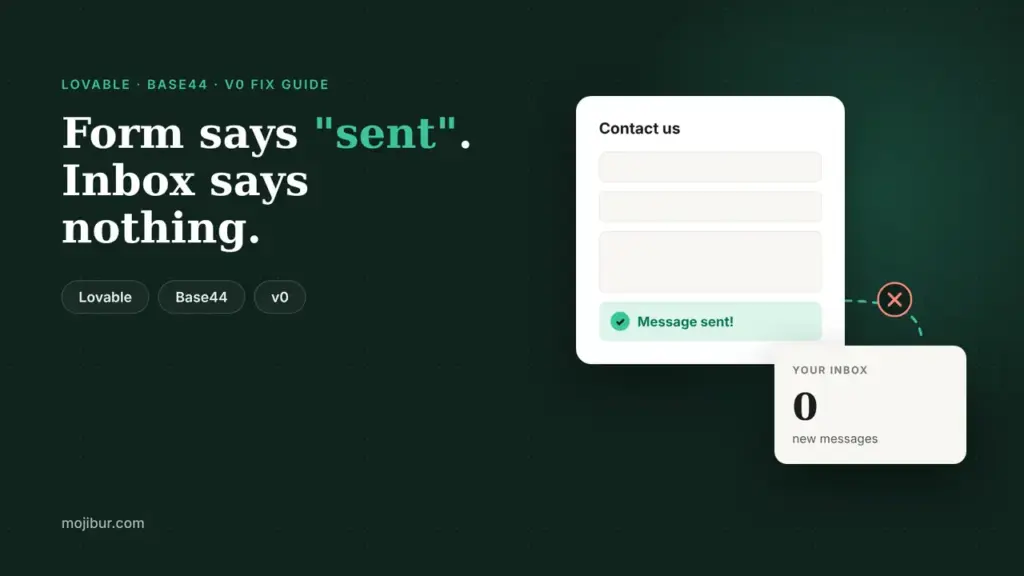
You built a site with Lovable, Base44 or v0, added a contact form, and it looks perfect. A visitor fills it in, sees a nice "Thanks, we will be in touch" message, and you never get an email. It costs real leads, and nobody notices until a customer complains.
The reason is simple. The AI can draw a form in seconds, but a form on its own does not send anything. Something on the server has to take the message, save it and hand it to an email service. If any link in that chain is missing, the form still shows a success message and the email quietly disappears.
Every working contact form needs four things:
- A place to store the message, such as a database table, so nothing is lost if email fails.
- A server side step that runs when the form is submitted.
- An email service that is set up and allowed to send.
- A sender address the service trusts, usually on a domain you have verified.
Lovable
Lovable gives you two ways to send email. Its documentation recommends the built-in Lovable Emails for standard transactional messages such as signup confirmations, password resets, receipts and internal notifications. A "new contact form message" email to you is an internal notification, so this is usually the simplest route. Lovable Emails can also send from your own domain.
The second option is the Resend connector, which sends through your own Resend account. It suits marketing email or teams already using Resend. Email sent this way counts toward your Resend plan and is billed by Resend, not Lovable.
Where Lovable forms usually break:
- The domain is not verified in Resend. Resend's test sender only delivers to the account owner. To email anyone else you must add your domain and its DNS records in Resend yourself. The connector does not do this for you.
- The project is not linked to the connection. One Resend connection can serve several projects, but each project has to be linked. If sending stopped after you changed connections, check this first.
- The wrong API key. Resend keys start with
re_. A send only key is fine for a contact form.
When a send fails, Lovable's docs suggest checking the key, confirming the sender and domain are verified, and reading the send in Resend's activity log.
Base44
Base44 has a built-in SendEmail integration that comes preinstalled in every app with no API key needed. The catch is in the rules about who it can email.
- Signed-up users of your app can be emailed on any plan, with no daily cap. Each email uses integration credits.
- People who are not users can only be emailed on a paid plan with a connected, verified custom domain, and then only up to 20 new people a day, with each person getting up to 3 emails a day from your app.
- Workflow "Send email" steps only reach signed-up users. Emailing anyone else needs a backend function step.
For a contact form, this matters in two ways. If the notification goes to an address that is not a user of the app, it may be blocked by these limits. And by default emails come from no-reply@base44-apps.com. Base44's docs also say built-in emails do not support a separate reply-to address, so you cannot simply hit Reply to answer the visitor. Store the visitor's email in a table and write back from your own inbox.
Failed emails show up in your app logs with a reason, so check there first. If you need higher volume, newsletters or delivery tracking, Base44 points to Resend or another provider called from a backend function.
v0 and Vercel
v0 apps run on Vercel, and email is usually handled through an integration such as Resend. When you paste in your API key, v0 stores it as an environment variable on the project, so the key stays out of the site's code.
Where v0 forms usually break:
- No redeploy after adding the key. Vercel's own v0 course is clear: any time you change an environment variable, you need to publish a fresh deployment for it to take effect. This catches a lot of people.
- The key is only in the preview. Make sure the variable exists for the production deployment, not just the place you tested.
- Unverified sender domain. The same Resend rule applies: without a verified domain you can only send to yourself.
Vercel's course suggests testing the full loop: a confirmation on the site, the message saved in your database table, and the email in your inbox. If one of the three is missing, you know which link is broken.
Emails arriving in spam? Quick checklist
- Send from your own domain, not a shared builder address, once your plan allows it.
- Add every DNS record the email service gives you. These prove you are allowed to send from that domain. Missing records are the usual cause of spam folder problems.
- Do not delete existing MX records while editing DNS, or your normal inbox stops receiving mail.
- Always save submissions to a table as a backup, so a failed email never means a lost lead.
- Test from a different email address than the one receiving notifications, and check the spam folder on the first few tests.
FAQ
Why does my form say "sent" when no email arrives?
The success message is shown by the page itself. It often appears even when the server step or the email service failed. Check your builder's logs or Resend's activity log to see what really happened.
Do I need Resend for a contact form?
Not always. Lovable and Base44 both have built-in email. Resend is useful when you want more control, higher volume or delivery tracking, and it is the common choice on v0.
Can a visitor's message go straight to my Gmail?
Yes, as long as your email service is allowed to send to that address. On Resend, sending to anyone other than the account owner needs a verified domain. On Base44 it depends on whether the address belongs to a user of your app and on your plan.
Would a WordPress site make forms easier?
Often, yes. On WordPress a form plugin plus an SMTP plugin is a well known setup that a non-developer can manage. If forms are one of several things fighting you, moving to WordPress may be worth it.
Still losing contact form leads?
I set up working contact forms on Lovable, Base44 and v0 sites: database storage, email sending, verified domains and spam checks, then test every submission end to end.
See the fix and launch service ↗