


A text marquee adds movement to your page by scrolling a line of text across the screen, perfect for announcements, offers, or headlines. In this tutorial you will create a smooth marquee in Elementor with simple HTML and CSS, no plugin needed. Copy the code, drop it in, and change the message to whatever you like.
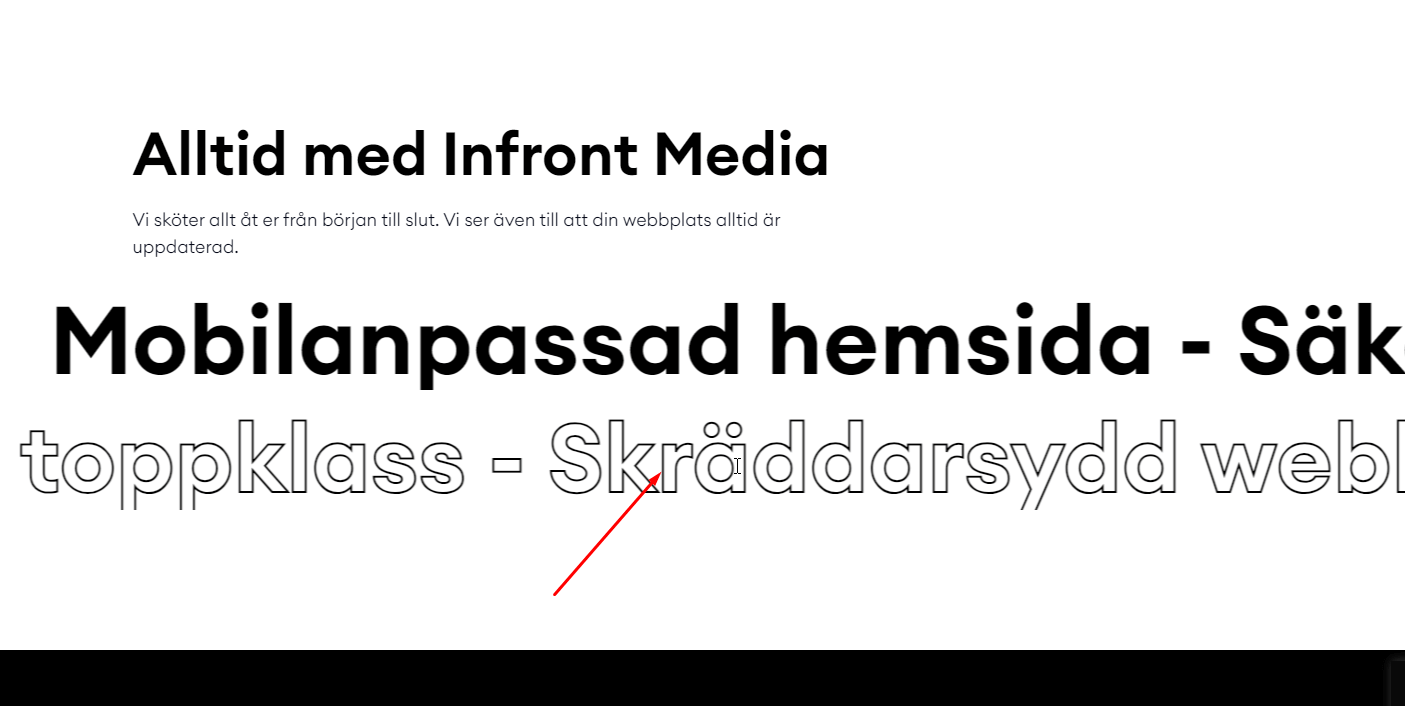
Text stroke CSS black background
					.whed {
white-space: nowrap;
}

.whed :hover {
-webkit-text-stroke: 2px #fff!important;
color: transparent!important;
}
Add Your Heading Text Here
Text stroke CSS white background
					.bhed {
white-space: nowrap;
}

.bhed :hover {
-webkit-text-stroke: 2px #000!important;
color: transparent!important;
}
Add Your Heading Text Here
Tex marquee HTML
<marquee direction = “right”>Skräddarsydd webbdesign – Optimerad för snabbhet </marquee>
Skräddarsydd webbdesign – Optimerad för snabbhet
How it works
The marquee works by placing your text in a wide track and animating its horizontal position with a CSS keyframe. As the animation loops, the text appears to scroll continuously. Duplicating the text inside the track keeps the motion seamless with no visible gap when it repeats.
Tips and customization
- Adjust the animation duration to speed up or slow down the scroll.
- Pause the marquee on hover for better readability.
- Change the font size and color to match your design.
FAQ
Does the marquee work on mobile?
Yes. It is pure CSS and scales to any screen width.
Can I scroll it the other direction?
Yes. Reverse the animation direction to scroll the opposite way.